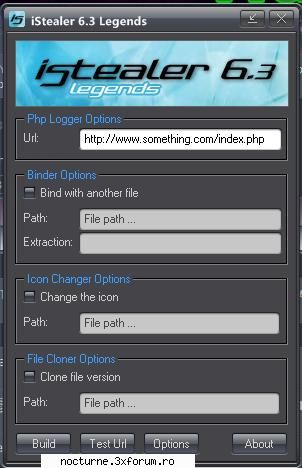
# Buy Some Hosting With A cPanel - There Are Free Ones Too # Once You Have A cPanel, And Have Logged In It Should Be Like This. Click On MySQL DataBase Wizard. # Now Choose A Name For Your Database In This Box. I Have Chosen "iStealer" # This Next Step Is When You Choose The Username And Pass For Your Database. Choose Something Secure. I Used "soviet" and "password" # After You Have Clicked Create User You Will See This. # Ok, Now Open Up Your index.php And Edit In Your Information, As You Can See This Is How I Did It. Don't forget to click next step in the cPanel. And Save Your Index.php # Now To Upload The Files. Click Home. Then Go To File Manager, Here. And Click Ok On The Pop Up. # Now Click New Folder, Name It Anything, I Called Mine iStealer. Now Double Click That Folder, Then Click Upload, Upload Your index.php And style.css - Now Go To [Doar userii inregistrati pot vedea linkurile. ] # If The Previous Step Worked Then Its Time To Build Your Server. Open The iStealer 6.3 Builder And Type In Your index.php url, conigure the settings, and click build. thats your iStealer server. now spread it.